Ready
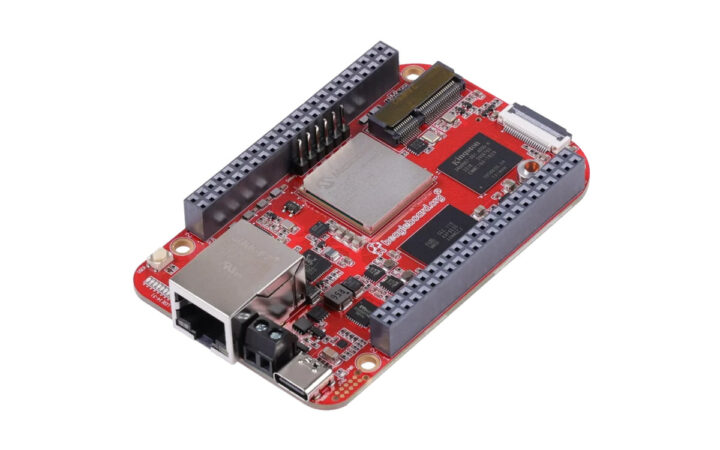
Today, the BeagleV-Fire is one of the most exciting RISC-V development boards built for experiments in AI acceleration, FPGAs, Linux, and real hardware exploration. But one of its biggest strengths is how easily it can integrate with modern IoT platforms.
Magistrala is an open-source IoT platform built for engineers who need full control over their messaging, device management, and data pipelines. It accepts user and client connections over various network protocols (i.e. HTTP, MQTT, WebSocket, CoAP), thus making a seamless bridge between them. It is used as the IoT middleware for building IoT solutions.
In this guide, I’ll walk you step-by-step through how to connect the BeagleV-Fire to Magistrala using MQTT and CoAP, authenticate your client, and publish messages to a topic.
What You Need
- The BeagleV-Fire running Linux/RISC-V
- Magistrala cloned and running in your PC.
1. Setting up and running Magistrala on your PC
Setting up Magistrala is easy. Clone the repository from Github to your PC.
git clone https://github.com/absmach/magistrala.git
cd magistrala
make run_latest
Install the Magistrala CLI
The cli makes it easy to to manage users, clients, channels and messages. It can be downloaded as separate asset from project realeses or it can be built. For our purposes we will build the CLI.
Build the Magistrala cli and see the available commands using the commands.
make cli
magistrala-cli health <service>
Create a User
We start off by creating a user.
magistrala-cli users create <first_name> <last_name> <email> <username> <password>example:
magistrala-cli users create john doe johndoe@example.com johndoe 12345678 Expected Response:
{
  "created_at": "2025-02-11T16:15:12.607701Z",
  "credentials": {
    "username": "johndoe"
  },
  "email": "johndoe@example.com",
  "first_name": "jane",
  "id": "26ae3198-6060-4308-824c-c846953b9898",
  "last_name": "doe",
  "role": "user",
  "status": "enabled",
  "updated_at": "0001-01-01T00:00:00Z"
}
Get Access Token
# command: magistrala-cli users token <username> <password>
# The command returns the user token.git status
# Then save the access token as USER_TOKEN
magistrala-cli users token johndoe 12345678
export USER_TOKEN=<your-user-token>
Create a Domain
# command: magistrala-cli domains create <my-domain-name> <route-name> $USER_TOKEN
# This returns the domain ID
# Then save the domain ID as DOMAIN_ID
# export DOMAIN_ID=<your-domain-id>
magistrala-cli domains create "mydomain" "myalias" $USER_TOKEN
export DOMAIN_ID="56a4462e-5001-4bcf-b421-dbbe3d59c53c"
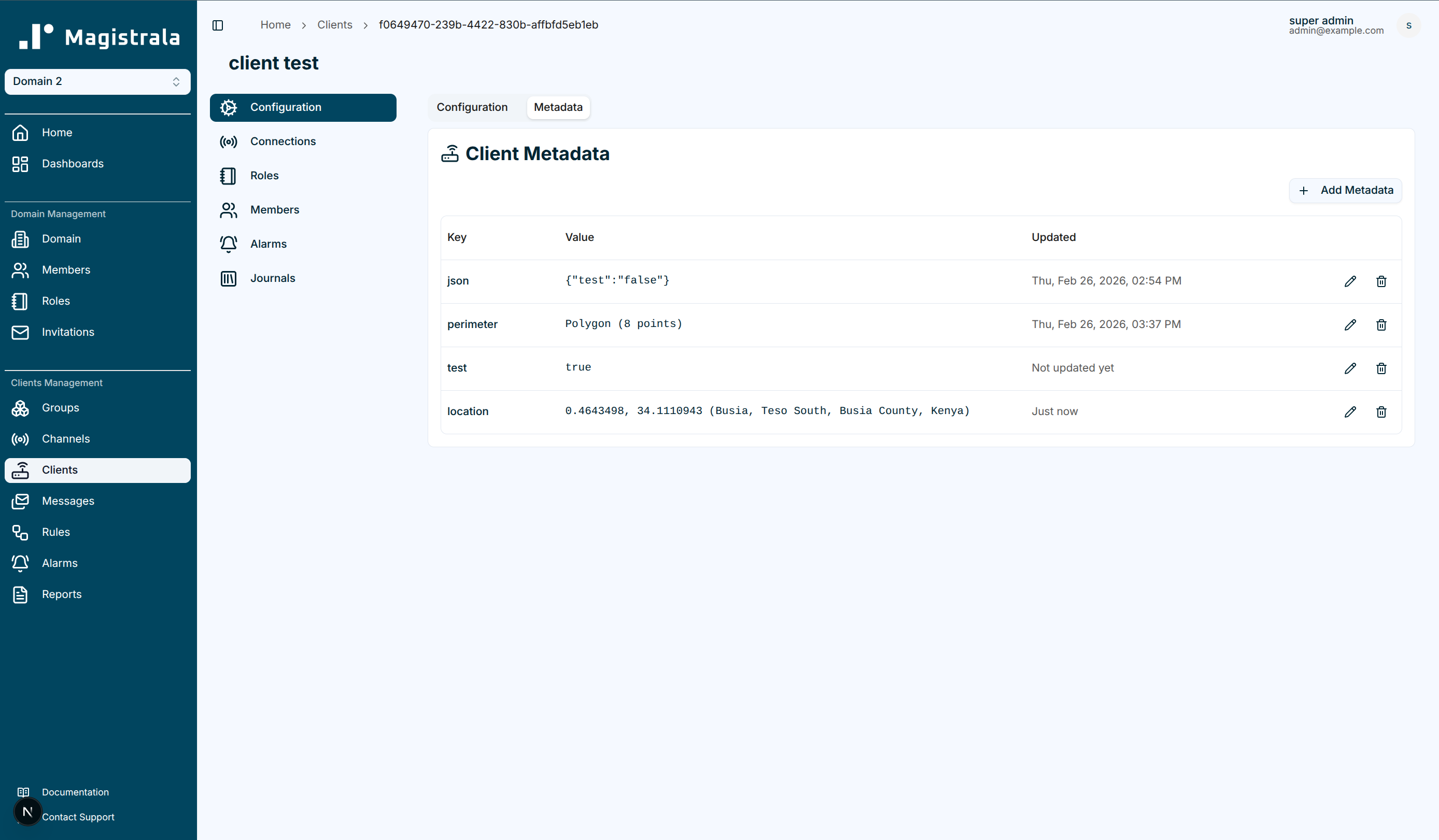
Create a Client
# command: magistrala-cli clients create '{"name":"client-name"}' $DOMAIN_ID $USER_TOKEN
# This command returns the client id and the client key
# Then save the client ID and client secret as CLIENT_ID and CLIENT_KEY
# export CLIENT_ID=<your-client-id>
# export CLIENT_KEY=<your-client-secret>
magistrala-cli clients create '{"name":"client_name"}' $DOMAIN_ID $USER_TOKEN
export CLIENT_ID="bd2733d1-fcda-4974-bd7b-63b87a2e150f"
export CLIENT_KEY="6b648c99-d753-4ccb-9954-db6a504f0737"
Create a Channel
# command: magistrala-cli channels create '{"name":"channel-name"}' $DOMAIN_ID $USER_TOKEN
# This command returns the channel id
# Then save the channel ID as CHANNEL_ID
# export CHANNEL_ID=<your-channel-id>
magistrala-cli channels create '{"name":"mychannel"}' $DOMAIN_ID $USER_TOKEN
export CHANNEL_ID="0efb859c-f606-442d-9c9e-fd924cfee654"
Connect Client to Channel
magistrala-cli clients connect $CLIENT_ID $CHANNEL_ID '["publisher","subscriber"]' $DOMAIN_ID $USER_TOKENMagistrala setup is now complete. We now setup BeagleV Fire.
Setup the BeagleV Fire
Power the BeagleV-Fire using the USB cable. Find the serial device and connect with your board using screen
ls /dev/ttyUSB* /dev/ttyACM*
# Usually /dev/ttyUSB0 or /dev/ttyACM0
sudo screen /dev/ttyUSB0 115200
Login to the terminal
Username: beagle
Password: temppwd
Connect an Ethernet cable from the router to the Beagle and get an IP address:
sudo dhcpcd eth0
ip addr show eth0
# Look for the inet line, e.g., 192.168.8.133
With this the Board is connected to the internet and you can now install packages.
Install mosquitto-clients
sudo apt update
sudo apt install mosquitto mosquitto-clients -y
Set the environment variables by configuring the connection details from the credentials acquired in the Magistrala setup.
export MAGISTRALA_HOST=<your-computer-ip>
# Magistrala runs in your PC Therefore use your PC's IP
export DOMAIN_ID="56a4462e-5001-4bcf-b421-dbbe3d59c53c"
export CHANNEL_ID="0efb859c-f606-442d-9c9e-fd924cfee654"
export CLIENT_ID="bd2733d1-fcda-4974-bd7b-63b87a2e150f"
export CLIENT_KEY="6b648c99-d753-4ccb-9954-db6a504f0737"
Test the connection. It should result to:
ping -c 4 $MAGISTRALA_HOST

PING <hostname> (<ip-address>) 56(84) bytes of data.
64 bytes from <ip-address>: icmp_seq=1 ttl=XX time=YY ms
64 bytes from <ip-address>: icmp_seq=2 ttl=XX time=YY ms
64 bytes from <ip-address>: icmp_seq=3 ttl=XX time=YY ms
64 bytes from <ip-address>: icmp_seq=4 ttl=XX time=YY ms

--- <hostname> ping statistics ---
4 packets transmitted, 4 received, 0% packet loss, time ZZZ ms
rtt min/avg/max/mdev = aaaa/bbbb/cccc/dddd ms
Now that the board is all setup and mosquitto is installed, we can connect to Magistrala.
MQTT Connection
Using MQTT, on your PC terminal, subscribe to a topic with the following command:
mosquitto_sub -u $CLIENT_KEY -P "" -t "m/$DOMAIN_ID/c/$CHANNEL_ID/messages" -h localhost -vIn this case, we have created a topic called messages and are subscribing to it . This will wait and display any messages published to this channel.
To publish messages on the BeagleV Fire terminal
mosquitto_pub -u $CLIENT_KEY -P "" -t "m/$DOMAIN_ID/c/$CHANNEL_ID/messages" -h $MAGISTRALA_HOST -m '{"temperature": 25.5, "humidity": 60}'The message should appear in your PC subscriber terminal.
CoAP Connection
For this protocol we first need to install the CoAP CLI on your PC.
git clone https://github.com/absmach/coap-cli.git
cd coap-cli
make all
scp ./build/coap-cli-linux-riscv64 beagle@<beaglev-ip>:/home/beagle/coap-cli
# This sends the CoAP cli from your PC to the BeagleV board
Publishing via CoAP from BeagleV side
./coap-cli post m/$DOMAIN_ID/c/$CHANNEL_ID -a $CLIENT_KEY -H $MAGISTRALA_HOST -d '[{"bn":"coap-device:","n":"temperature","u":"Cel","v":25.5}]'Subscribing via CoAP from BeagleV side
coap-cli get m/$DOMAIN_ID/c/$CHANNEL_ID -a $CLIENT_KEY -H $MAGISTRALA_HOST -oWith this, that is how you connect the BeagleV Fire to Magistrala and send messages via CoAP and MQTT. Have fun with it. Happy Coding ;-)